FireTEK — Short presentation (firmware 0.98a)
In this chapter
Part A of the manual. What the FireTEK system is, in a few pages: the controllers, the modules, the SyncBox and the SSSBox, the FTK Studio app, the ways to fire and how FireTEK compares with other systems. The steps, with the screens, are in the quick guide (part B); everything in detail, with every message on the screen, in the complete manual (part C).
0.98a is a test version: it has not been delivered to customers. Never use new firmware in a real show without having tried it beforehand exactly as you will use it.
FireTEK is a firing system for fireworks, flames and DMX effects, synchronized with the music. The controller runs the show; the firing modules in the field hold the script and fire each effect at its time; the SyncBox plays the music and the DMX; the SSSBox gives a person in the field a START / STOP button. The devices talk by radio at 868 MHz, over 2.4 GHz (old version) and over the wired connection (NEW). The show script is written in the FTK Studio app or in any spreadsheet program.
The controller
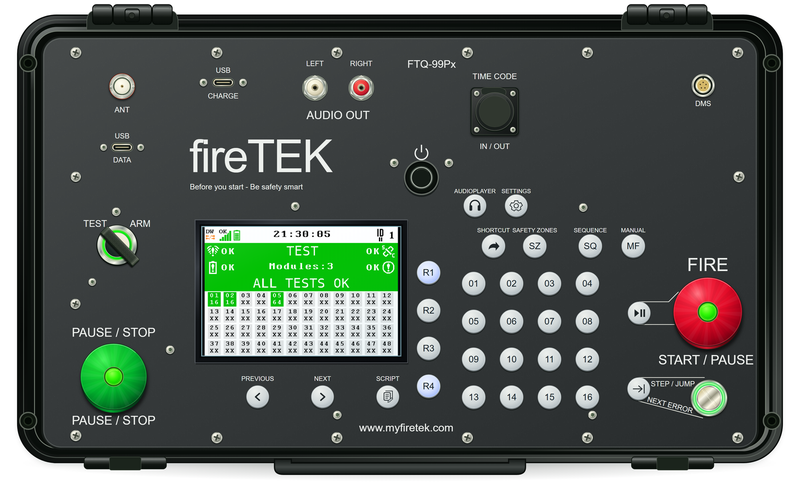
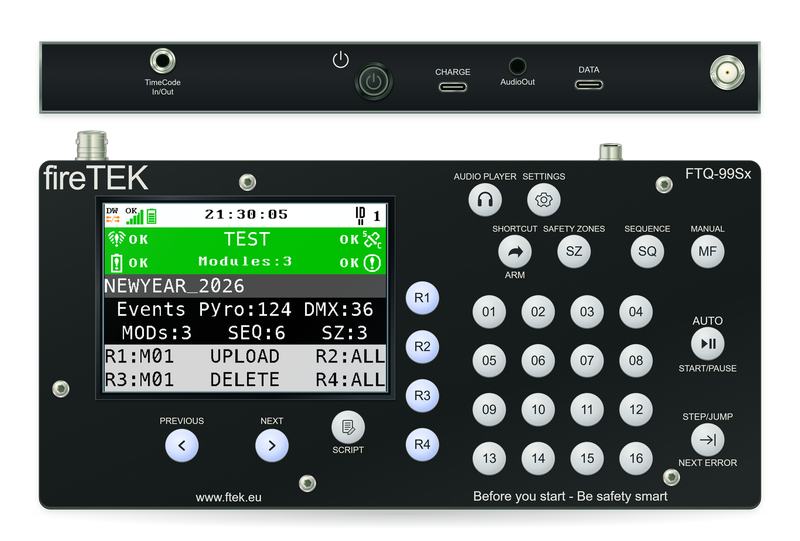
The FTQ-99Px (left), built into a rugged Nanuk 909 case, with the key switch, and the FTQ-99Sx (right), the handheld controller.
The controller is the heart of the show: it loads the script and the music, sends the script to the modules, tests every channel, arms the show and starts it. During the show it follows every module and shows what was fired; by hand it fires single channels, sequences and DMX effects. A second controller can follow it as its backup.
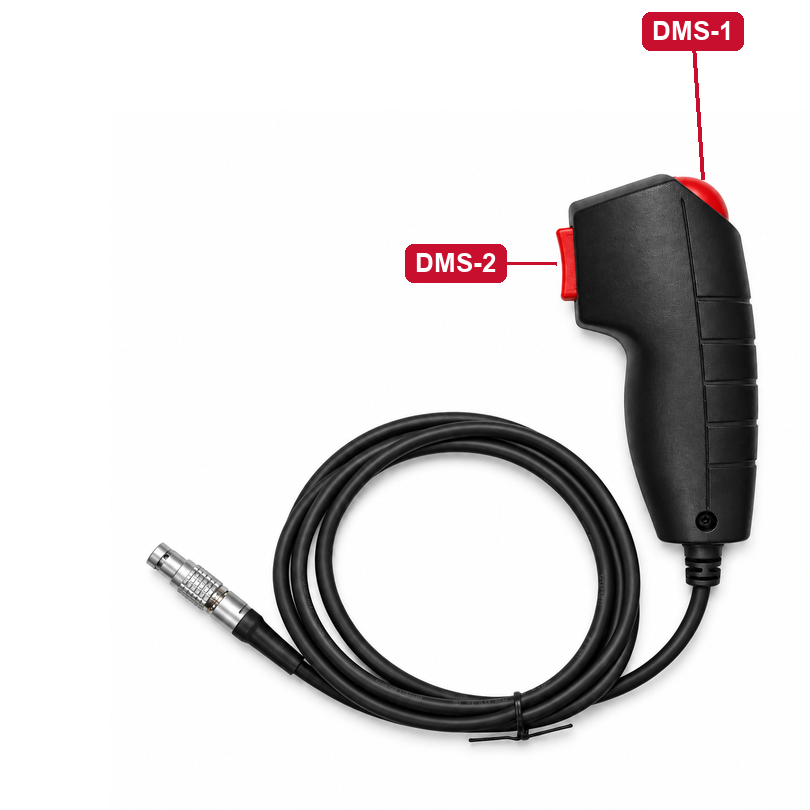
The deadman switch: the automatic show fires only while the operator holds it; releasing it stops the firing at once.
The firing modules
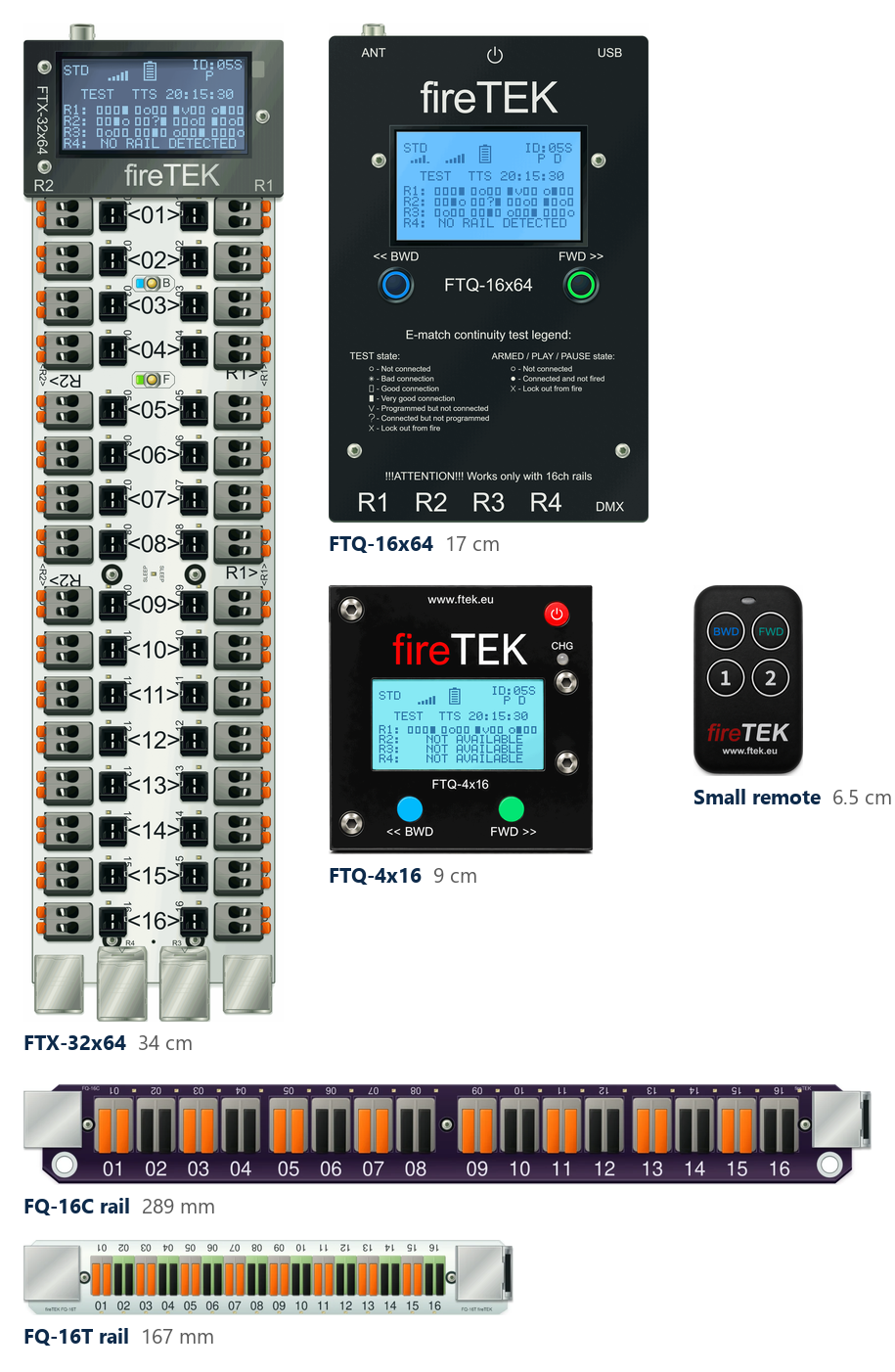
Drawn to the same scale: the FTX-32x64, the FTQ-16x64 and the FTQ-4x16, the small remote control, and the rails FQ-16C and FQ-16T.
The modules stand in the field, next to the effects. Each one keeps the script of its own channels and fires every effect at its time. The FTQ-16x64 fires 64 channels on four rails; the FTQ-4x16 fires 16 channels on one rail; the FTX-32x64 is the slim module, 64 channels with two rails built in. The FTQ-16x64 and the FTQ-4x16 can also drive DMX effects (flames, lights, smoke) from the same script. Every channel is tested automatically: a missing igniter (e-match) shows on the module and on the controller within seconds. The small remote control works the modules from a few metres away.
The igniters are wired to rails, the long FQ-16C or the compact FQ-16T, 16 lever connectors each. A rail is wired in advance, carried to the site and plugged into the module in seconds; an LED on every channel shows that the igniter is connected.
The SyncBox and the SSSBox
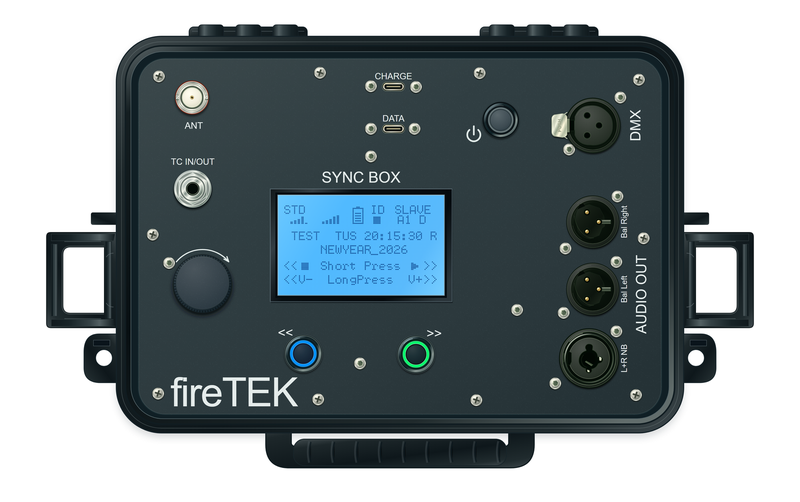
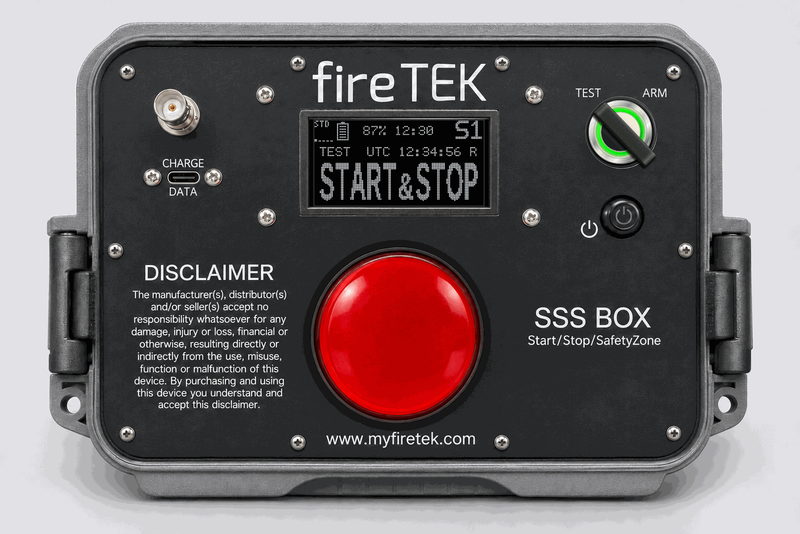
The SyncBox (left) and the SSSBox (right).
The SyncBox plays the show music and the DMX, exactly in time with the controller, wherever the speakers are. Set as Master, it runs a small show by itself, with its own music, without a controller.
The SSSBox gives a person next to the site one large button and one function: START, STOP (pause), START & STOP, or blocking safety zones. It never arms and never stops a show completely: arming and the full stop stay with the controller.
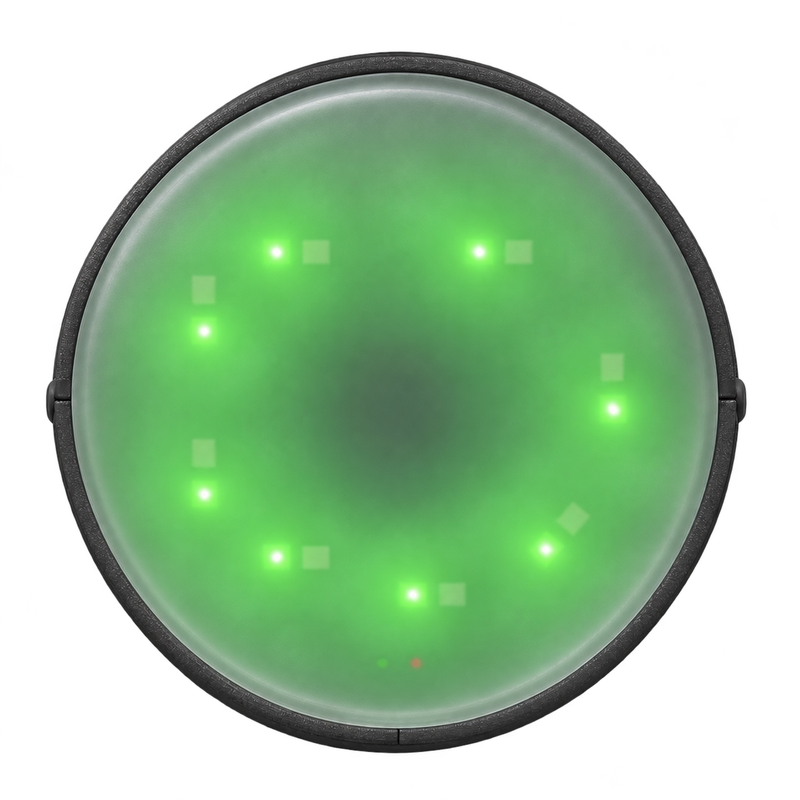
The Beacon LED is a wireless status beacon with red and green LEDs and a buzzer: it shows from a distance whether the area is safe, green in TEST, red when the show is armed or running. It only listens, with its internal antenna.
The FTK Studio app
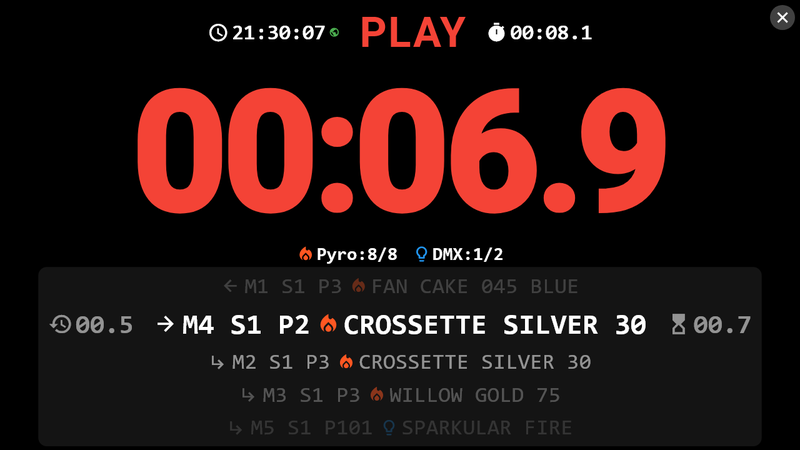
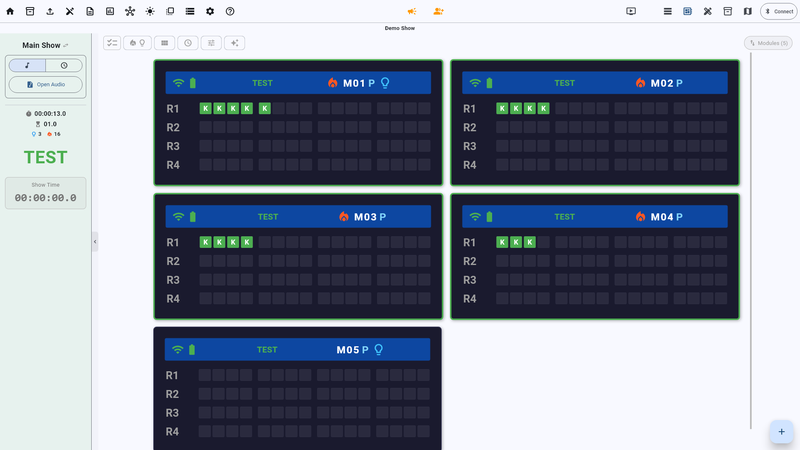
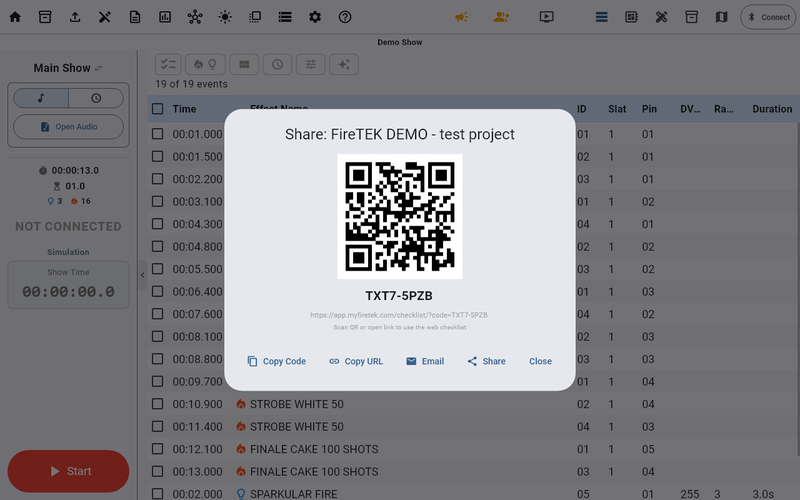
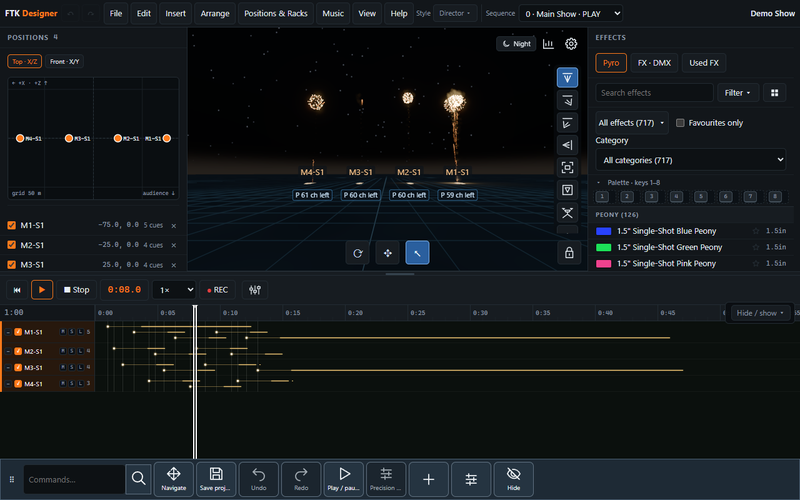
Top: the show HUD in PLAY and the modules with every channel. Bottom: a shared project with its code and QR, and the FireTEK Show Designer.
FTK Studio (Windows and Android) writes the script, sends it to the controller and follows the show live: the big HUD shows the show time and the next effects, the modules view shows every channel. A project can be shared with the team by a code or a QR. The Show Designer shows the show in 3D, with the music, before a single effect is loaded.
Ways to fire
No other firing system offers this much versatility. In most systems the controller is only a controller, the module only a module and the audio player only an audio player. Most of the time that is enough, but not always:
- Ten shows at the same time, without ten controllers. With FireTEK any FTQ-16x64 module, or a SyncBox set as SyncBox Master, can run the show without a controller.
- Something happens to the controller just before the show. With other systems there is no show. With FireTEK you make a module or a SyncBox the master and the show goes on: a backup without a second controller.
Who runs the show
The controller — the usual way: it loads the script and the music, sends them to the modules, arms and runs the show. Chapters 2 and 13.
A backup controller — a second controller follows the main one step by step and takes over by itself if the main goes silent. Chapter 21.
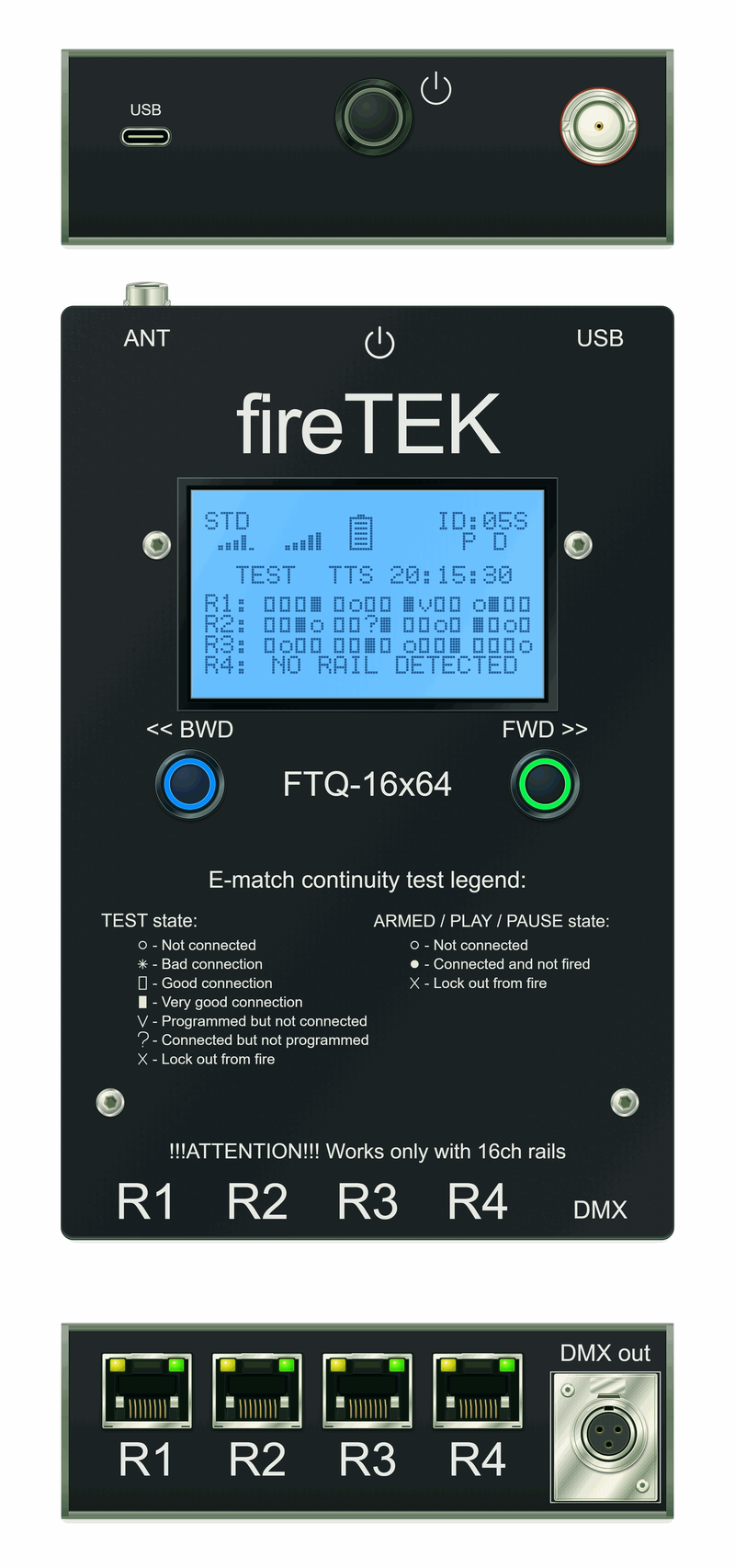
A module as master — any FTQ-16x64 can run the other modules without a controller. §16.10.
The SyncBox as master — it runs the modules and the other SyncBoxes, with its own music. §14.4.
The FTK Studio app — on a PC or an Android tablet it starts, pauses and stops the show and fires by hand; arming is always done on the device. §27.4, §27.9.
An SSSBox in the field — a person next to the site starts or pauses the show with one button. Chapter 19.
How it fires
Manual — you choose the channels by hand, in ARMED, PLAY or PAUSE:
- Standard: one key fires one channel of the module on the screen — §3.3.
- Step by step: each STEP fires the next channel — §3.4.
- Up to 9 modules at the same time: one key fires the same channel on modules 1 to 9 — §3.5.
- Hold pyro: the channel stays open for as long as you hold its key — §3.6.
Automatic — the script fires every effect at its time:
- With or without music: the music plays on the controller or on a SyncBox; without music the show runs on the controller's clock — §13.2.
- With or without automatic BREAK: a BREAK row pauses the show by itself and PLAY continues it — §13.6.
- On time code: the show follows an external time code — chapter 15.
Sequences — small scripts that you start by hand, on top of the show:
- Standard, with or without music: STEP starts the chosen sequence, or a numbered key starts its sequence at once; a sequence can have its own music, which takes the place of the show music while it plays — §4.4, §4.6, §4.2.4.
- DMX / pyro HOLD: the DMX outputs and the pyro channels of a sequence stay on for as long as you hold the key — §4.7, §5.6.
- Caliber fire: the same effect fired several times under one key — each STEP fires the next shot — §4.5.
Why FireTEK: compared with other systems
Firing systems are usually compared on channels, wireless and price. FireTEK makes the difference on the total cost of a show: what you pay, how long you stay on site, how many people and vehicles you need. Below, a classic wired system uses a dedicated cable (XLR or its own connector); a typical wireless system uses rugged wireless modules with their own batteries.
| Money | Time | People and vehicles |
|---|---|---|
| Cheap UTP cables, sold everywhere; USB charging with no dedicated chargers; no heavy armour; cheap spare parts, replaced on the spot. | RJ-45 that clicks in; a permanent automatic test, without pressing anything; the full status in under 30 seconds; a module or a rail replaced in minutes. | Compact, light equipment; checks anywhere on site without the controller; no heavy crates to carry. |
Six design choices, each with the greater advantage for the operator:
- UTP cable instead of XLR. About 10 : 1 cheaper per metre, sold in any IT shop, light and fast to connect. It does not last forever, but customers using FireTEK for more than 10 years still use more than half of their original cables, and a worn one costs little to replace.
- USB charging and back-up power. Any phone charger, car socket or laptop charges every device; any power bank keeps a device running even with a flat internal battery.
- Compact and light. A 64-channel module with its rails: about 1 kg and 17 × 11 × 6 cm — 25–75 % less volume and weight than other systems. It flies as hold or cabin luggage.
- Protection that is worth it. No case survives an explosion; the protection goes where it matters (rain, dust, falls) and the money into functions. Rails and cables, next to the explosions, are cheap to replace.
- Speed and automation. Every channel is tested automatically and all the time: a problem shows within seconds and cannot be missed. An LED on every channel, on the module and on the rail, lets one person check while connecting.
- Reliable wireless. Up to 5 km in a straight line (measured in open field, line of sight, antennas vertical), more than 1 km in town; the modules repeat the signal themselves, so there are no separate repeaters to carry. New modules join your network with two key presses: one on the controller, one on the module.
The complete comparison, with every advantage, disadvantage and answer: Appendix F of the complete manual.
Where to read next
| I want to… | Read |
|---|---|
| run a show, step by step | Part B — the quick guide (Quick guide) |
| understand a message on the screen | the message dictionary, chapter 26 |
| learn everything about a function | Part C — the complete manual, the contents |
| know what each connector does | §0.5.1 The controller connectors |
| solve a problem | chapter 25 Troubleshooting |